A family that forgets nothing
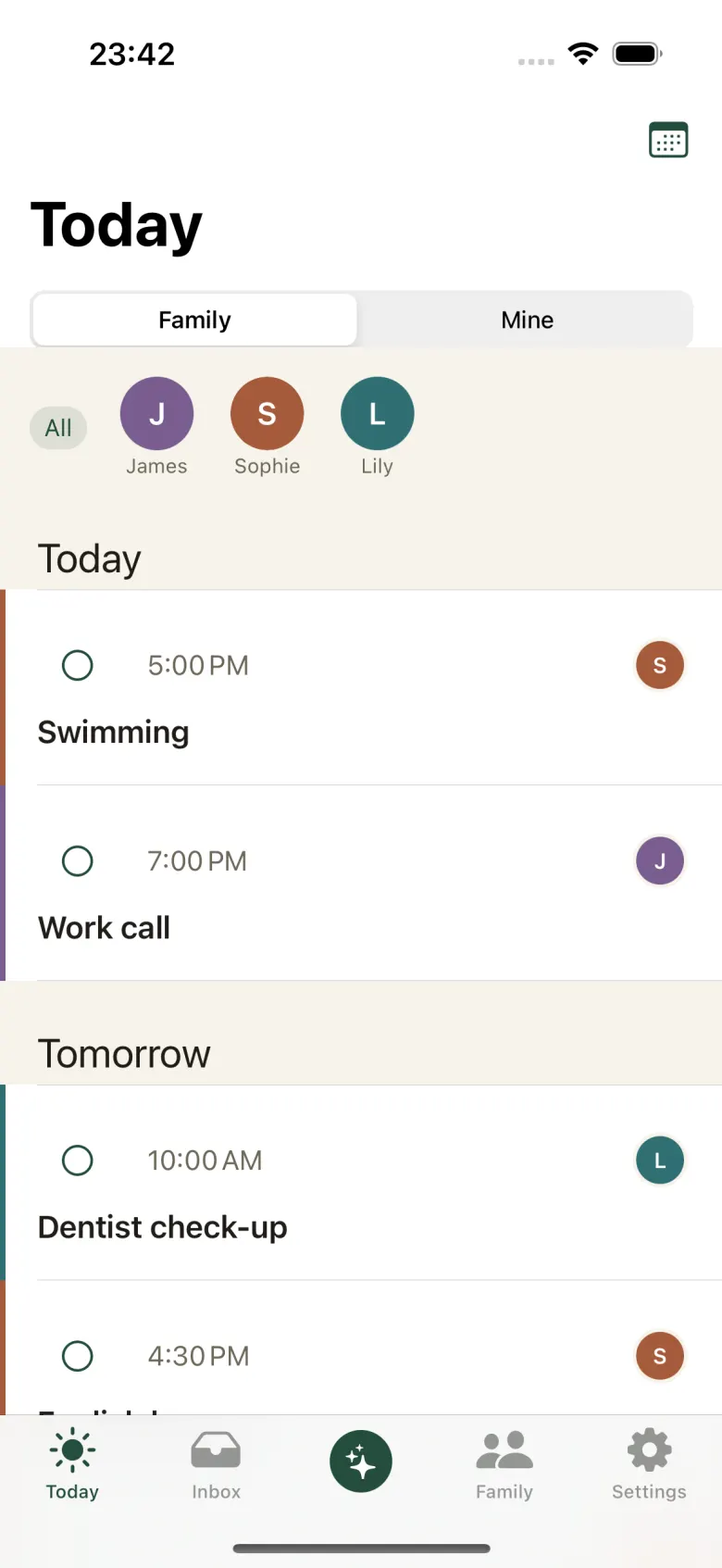
The assistant reads letters from school, keeps one calendar for everyone and watches the deadlines on your passports. You only confirm.

iPhone, iOS 17 or later. The first 14 days are free.
Three steps, then it carries on by itself
Step 1
Send anything
A letter from school, a photo of a notice, a PDF booking, a voice note. Through Share, or straight into the chat.
Step 2
The assistant reads it
It finds the date, the time, the place and which of the children it concerns. Every event keeps the quote it came from.
Step 3
You approve
The event goes to the iPhone calendar and appears for the whole family. Without your yes, nothing happens.
Inbox
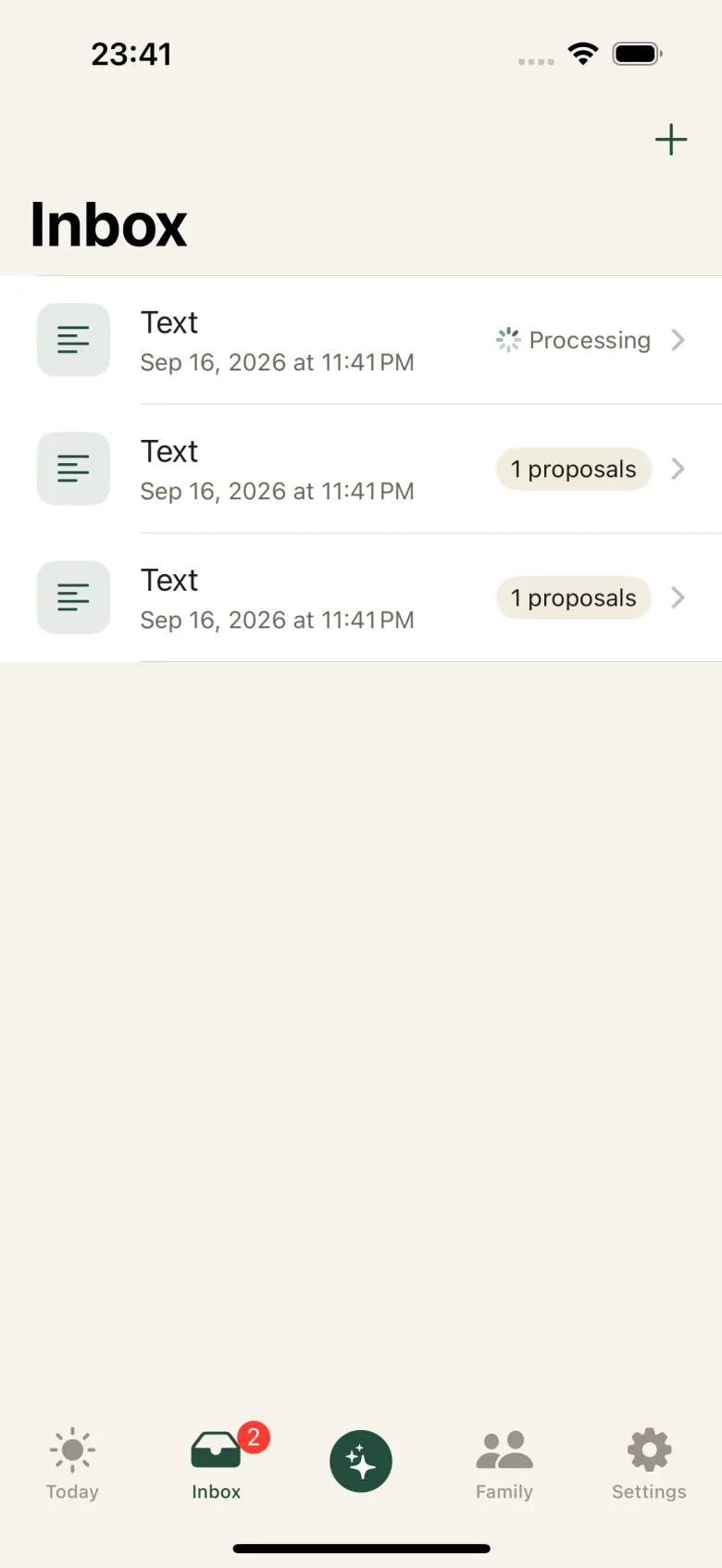
One inbox for everything
Photos, PDFs, text and voice notes land in one list. The assistant reads each of them in the background. A count of proposals waiting for a decision shows up before anything changes in the calendar.
Calendar
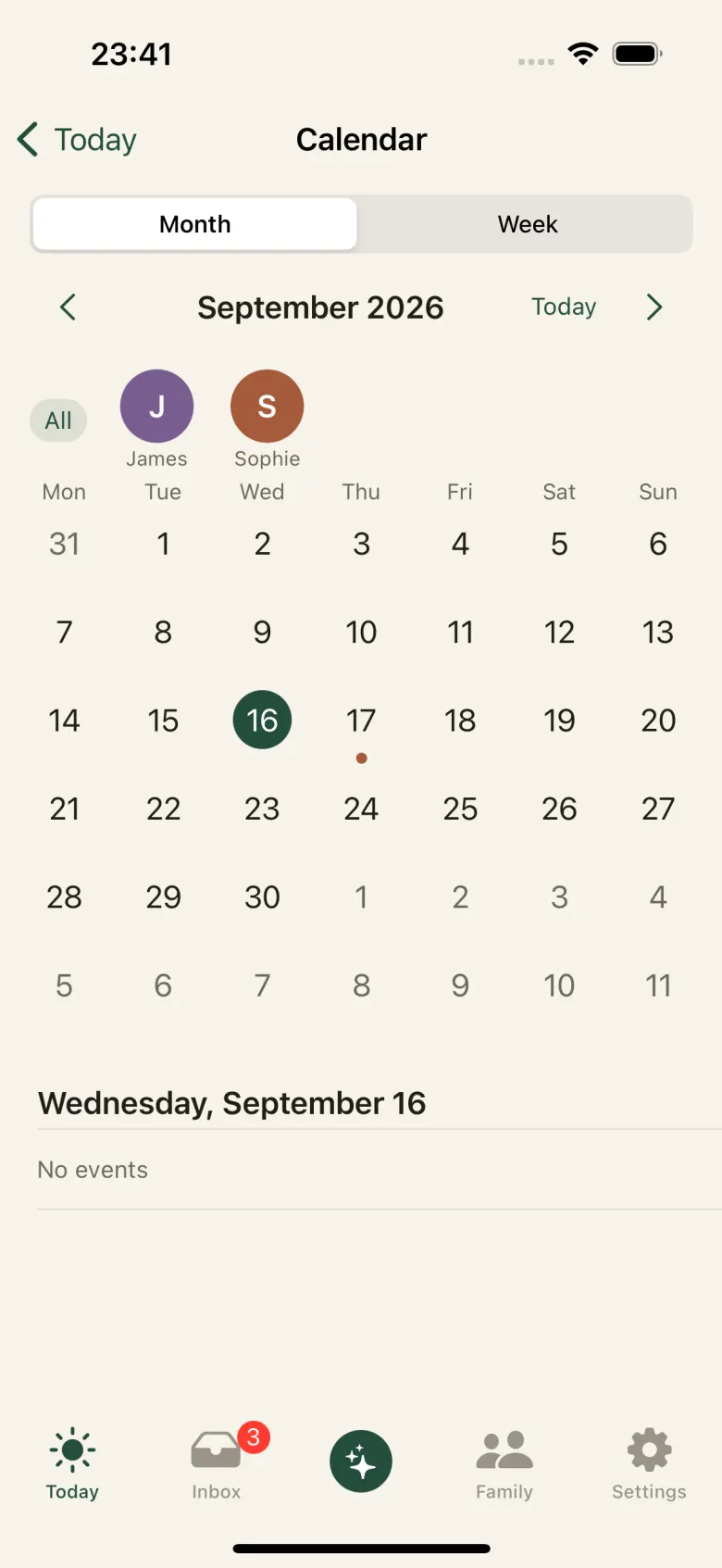
The whole family on one screen
Month, week and day. Everyone has a colour, a dot marks the day something is on, and an edit is one swipe. Events are written to the iPhone calendar instead of living apart from it.
Documents
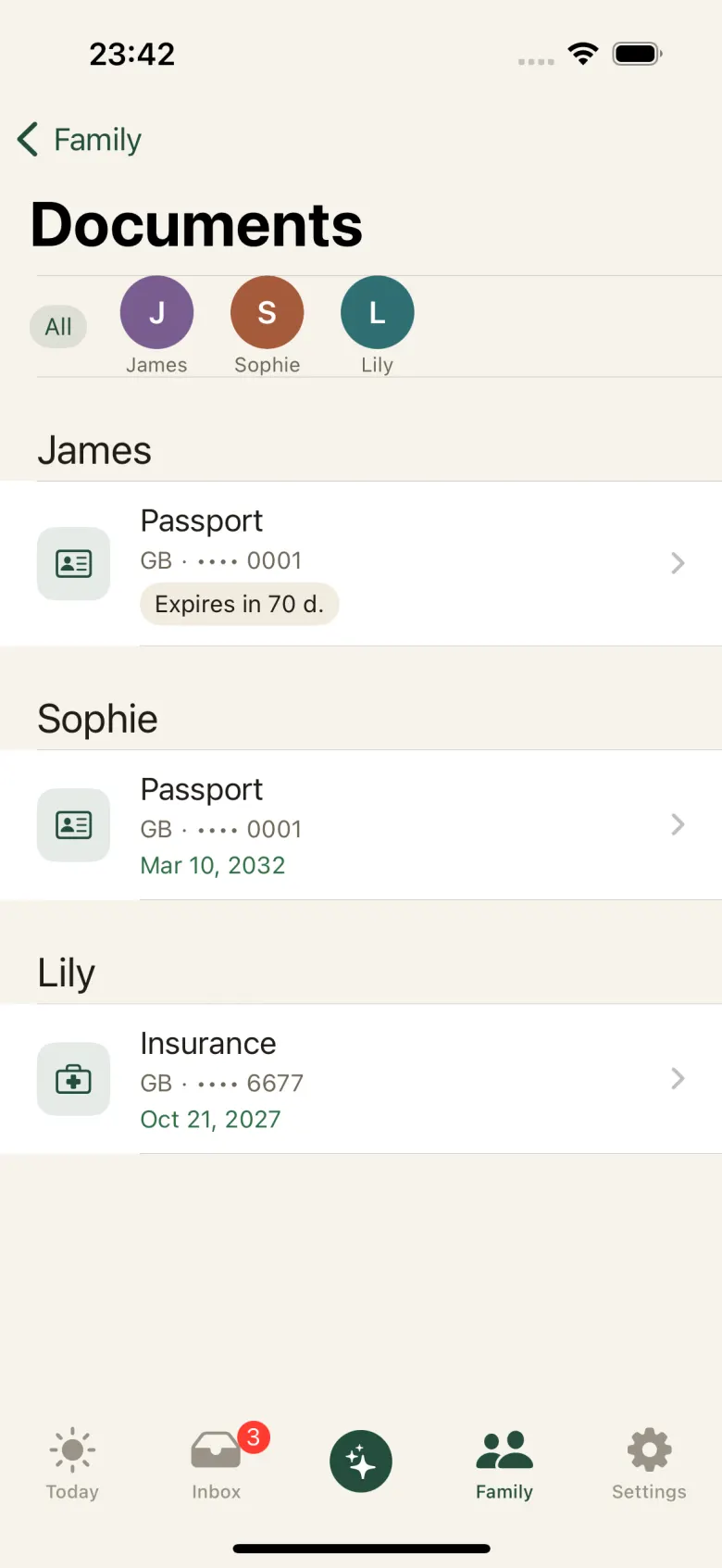
Passports and visas, watched
The expiry date is read off a photograph. The reminder comes 180, 90 and 30 days ahead, in time to renew calmly instead of at the airport. The vault opens with Face ID and every file is encrypted before it is stored.
Trips
A check before the flight
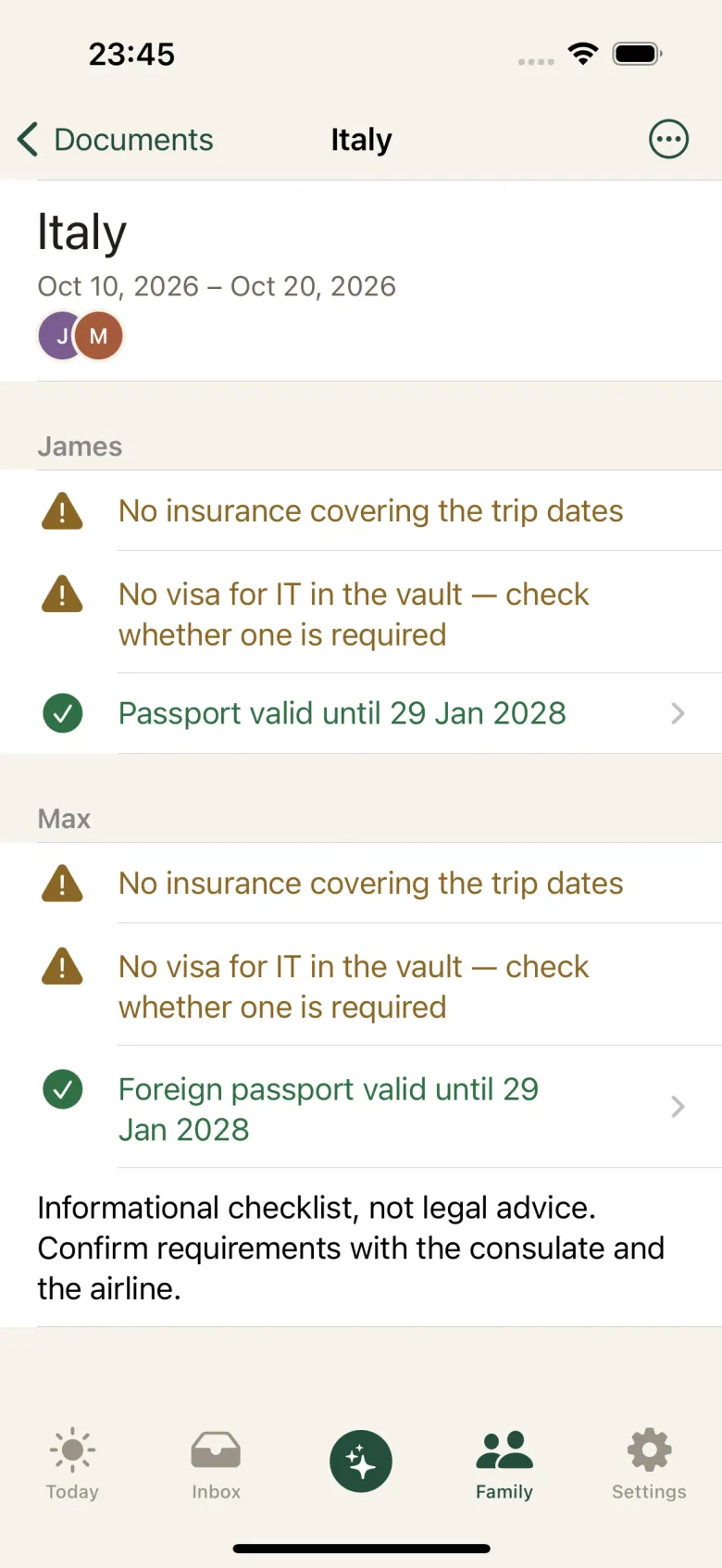
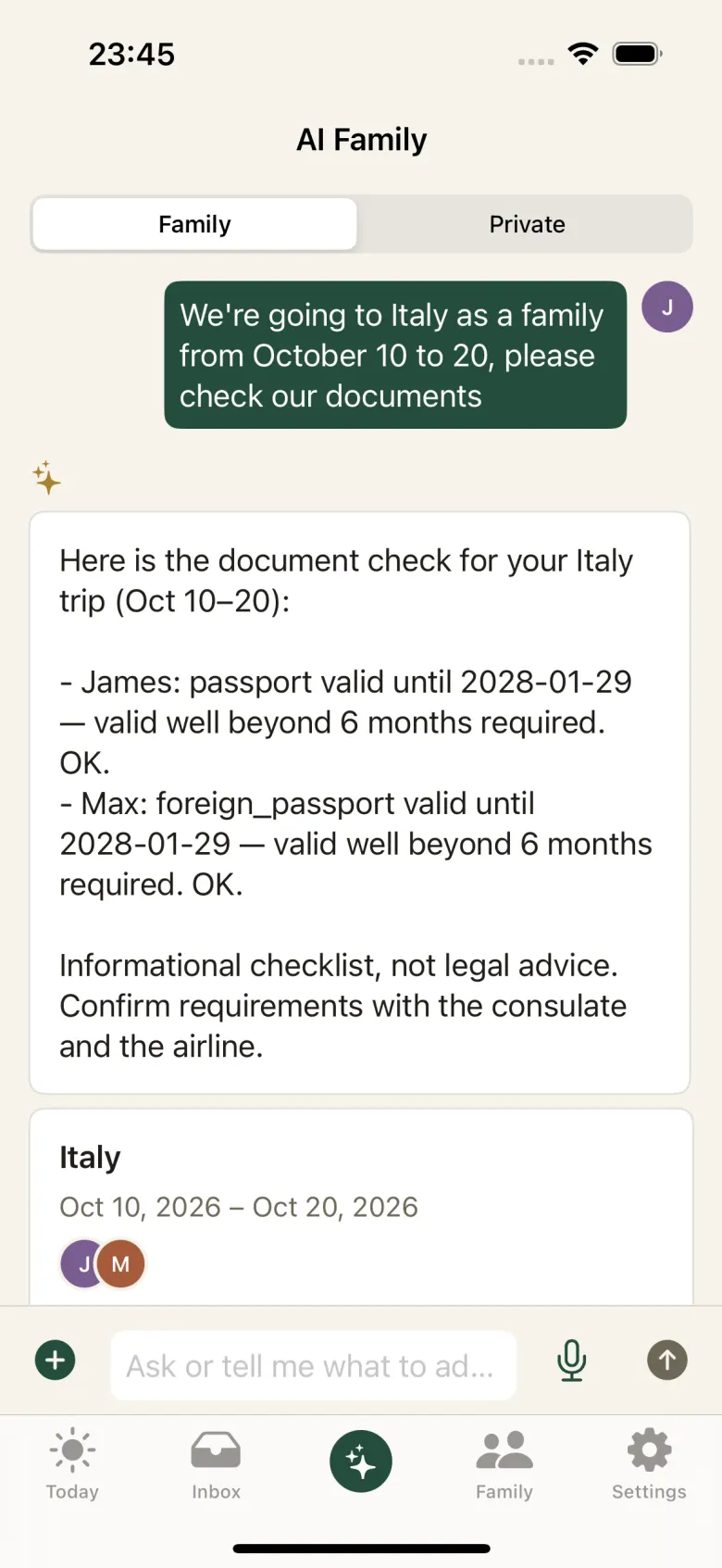
Type “we are going to Italy from 10 to 20 October” in the chat, or forward a booking. The assistant builds a checklist for every traveller: the passport valid six months past the return, the visa for the destination, a residence permit, an insurance policy that covers the dates. An informational checklist, not legal advice.
Assistant
Ask in your own words
“What is on this week?”, “Book Sofia a dentist appointment on Friday at 10”, “Remember that Timur is allergic to nuts”. The answers come from your family’s own data, and anything the assistant wants to add arrives as a card, waiting for your yes.
Mornings
The day starts with a plan
At 07:30 in your family’s time zone the brief arrives, and on Sunday evening a review of the week: everyone’s schedule, clashing times, documents running out, birthdays coming up. If the day is empty, the assistant stays quiet and sends no notification.
And also
A private space
A chat with the assistant of your own, and private reminders, behind Face ID. Nobody else reads it, parents included.
The family’s memory
“Remember that training moved to Thursday.” Sensitive facts, such as health, money or documents, are saved only after you confirm, and the list can be edited in Settings.
The whole family in one account
One person creates the family, everyone else joins with an invite code through Sign in with Apple. Children under 16 sign in with a code from a parent, without an Apple Account, and children without a phone are still in the family: a parent keeps their events and documents.
Russian and English
The assistant reads letters in both languages, in text, in photos and in PDFs, and answers in the family’s language. Dictation is recognised on the device.
What the assistant never does
- It never invents an event Every proposal keeps the quote from the letter or the photograph the date and time came from. No quote, no event.
- It never acts without your approval The assistant proposes. What reaches the calendar, the documents and the memory is what you confirmed.
- It never passes itself off as a person Asked directly, it says that it is a program. It does not diagnose, prescribe treatment or give financial advice. The app checks messages about self-harm against a fixed list of phrases, not the model, and shows a support card instead of a reply. The safety protocol.
- It never trades your data The family’s data is stored in Europe, encrypted. Text is read by Claude (Anthropic, United States) with your explicit consent, which you can withdraw.
One subscription for the family
$9.99 per month
Or $99.99 a year. The first 14 days are free. Cancel any time.
Subscribe in the app. Cancel in your iPhone settings at least 24 hours before the trial ends and you pay nothing.
Questions
Where does our family’s data live?
On a server in Germany, hosted by Hetzner. Names, dates of birth, document contents and every uploaded file are encrypted by the app before they are stored. The text you send, whether a chat message, a letter or a document, goes to the Claude API (Anthropic, United States) to answer you and extract events, and only after you have given consent in the app.
Who can see the chat with the assistant?
The family chat is open to everyone with an account in your family. A private chat is yours alone, and that includes children: parents do not read a child’s private chat. If the assistant shows a child under 16 the contacts of help services, the parents get a notice without the conversation.
How old does a child have to be to have an account?
Sixteen to sign up on their own. A child under 16 gets a login only from a parent, who gives consent in the app; the child then signs in with a one-time code, without an Apple Account. Until then a parent keeps the child’s profile: the child is in the calendar and in the documents.
What if the assistant gets it wrong?
It does get things wrong, which is why nothing reaches the calendar without your approval. Every proposal shows the phrase it came from, a proposal can be corrected before you approve it, and an approved event can be changed or deleted.
How do I delete everything?
One button in Settings removes the account, the documents, the chats and the memory. Events already written to the iPhone calendar stay in the Calendar app until you delete them there.